

Providers
Supported coding agents and CLI providers
Emdash supports 21 coding agent CLIs. Install any of them and Emdash detects it automatically.
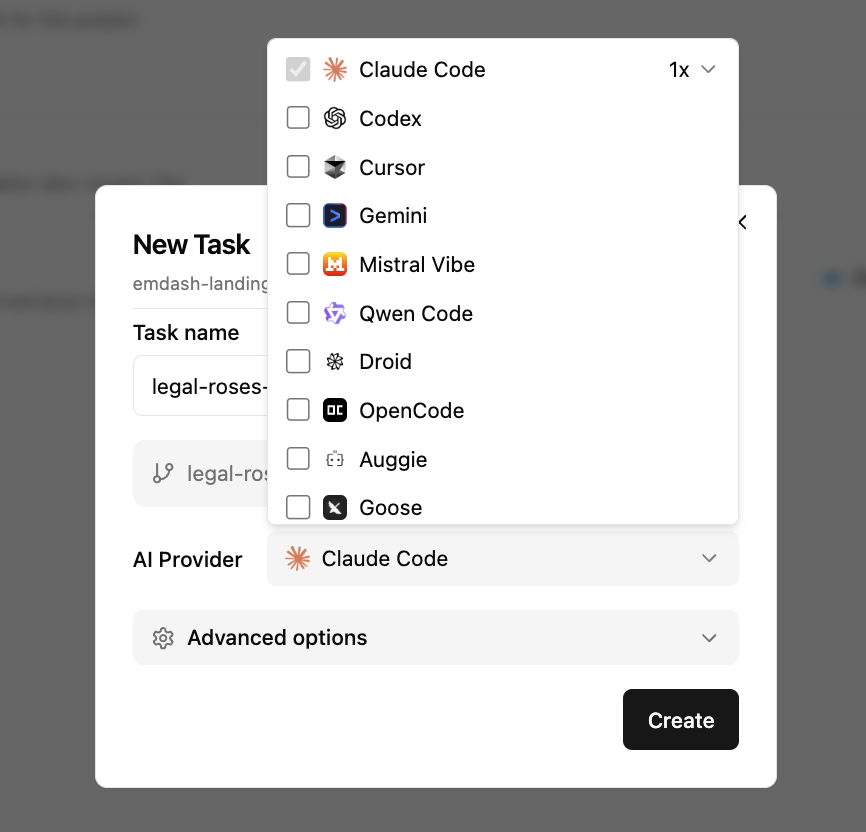
Supported Providers
| Provider | Install Command |
|---|---|
| Claude Code | curl -fsSL https://claude.ai/install.sh | bash |
| Codex | npm install -g @openai/codex |
| Gemini | npm install -g @google/gemini-cli |
| Qwen Code | npm install -g @qwen-code/qwen-code |
| Cursor | curl https://cursor.com/install -fsS | bash |
| GitHub Copilot | npm install -g @github/copilot |
| Amp | npm install -g @sourcegraph/amp@latest |
| Auggie | npm install -g @augmentcode/auggie |
| Cline | npm install -g cline |
| Continue | npm install -g @continuedev/cli |
| Codebuff | npm install -g codebuff |
| OpenCode | npm install -g opencode-ai |
| Charm | npm install -g @charmland/crush |
| Kilocode | npm install -g @kilocode/cli |
| Kimi | uv tool install kimi-cli |
| Goose | curl -fsSL https://github.com/block/goose/releases/download/stable/download_cli.sh | bash |
| Droid | curl -fsSL https://app.factory.ai/cli | sh |
| Kiro | curl -fsSL https://cli.kiro.dev/install | bash |
| Rovo Dev | acli rovodev auth login |
| Mistral Vibe | curl -LsSf https://mistral.ai/vibe/install.sh | bash |
| Pi | npm install -g @mariozechner/pi-coding-agent |
Feature Support
Not all providers support the same features. Here's what varies:
Auto-approve: Skip permission prompts for file operations. Supported by Claude Code, Codex, Gemini, Qwen, Cursor, Kilocode, Rovo, and Mistral.
Resume: Continue from previous session. Supported by Claude Code, Gemini, Qwen, Kilocode, Continue, and Pi.
Initial prompt: Pass instructions when starting the agent. Most providers support this.
Adding a Provider
Providers are detected automatically when you install them. Open Emdash, go to Settings, and click "Refresh" to scan for newly installed CLIs.
If a provider isn't detected, make sure its CLI is in your PATH.
Request a Provider
Missing your favorite coding agent? Open an issue or message us on Discord.