

Kanban View
Visualize your tasks on a board
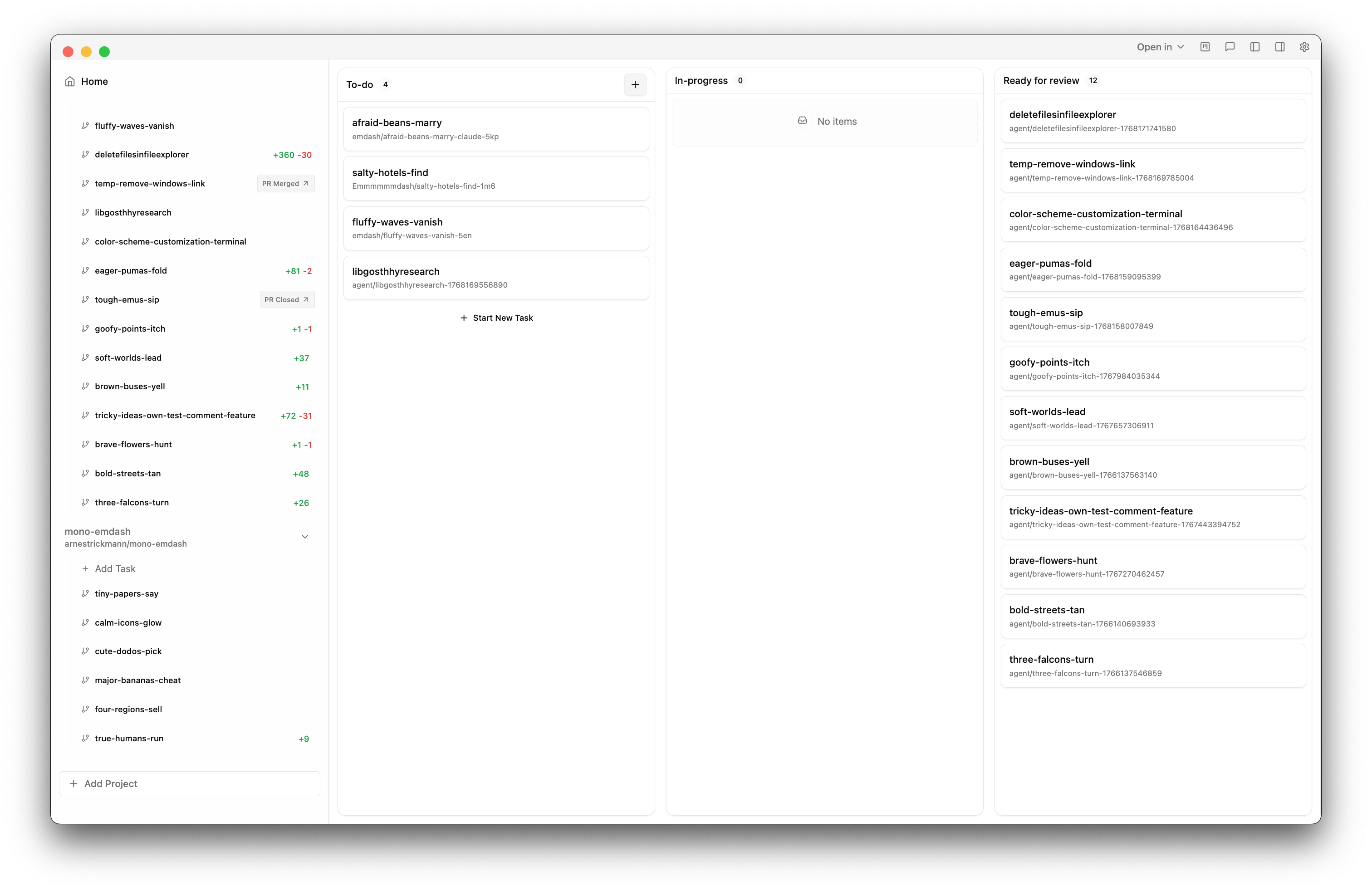
The Kanban view displays your tasks as cards on a board with three columns. Drag tasks between columns to track their status.
Columns
- To-do: Tasks not yet started
- In-progress: Tasks currently running
- Ready for review: Completed tasks with changes to review
Automatic Transitions
Tasks move between columns automatically based on activity:
- When an agent starts working, the task moves to In-progress
- When an agent finishes (terminal exits, changes detected, or PR created), the task moves to Ready for review
You can also drag cards manually to change their status.
Card Information
Each card shows:
- Task name
- Branch name
- Provider/agent running the task
- Activity spinner when the agent is busy
Hover over a card to see more details: provider list, and a summary of file changes (files changed, lines added/removed).
Creating Tasks
Click the + button in the To-do column to create a new task. This opens the same task creation modal as the main "Add Task" button.
Opening a Task
Click any card to open that task's detail view with the terminal and diff panel.
Last updated on March 1, 2026