

CI/CD Checks
Monitor GitHub Actions check runs directly in Emdash
Emdash surfaces your GitHub Actions CI/CD status inside the app so you can monitor check runs without switching to a browser.
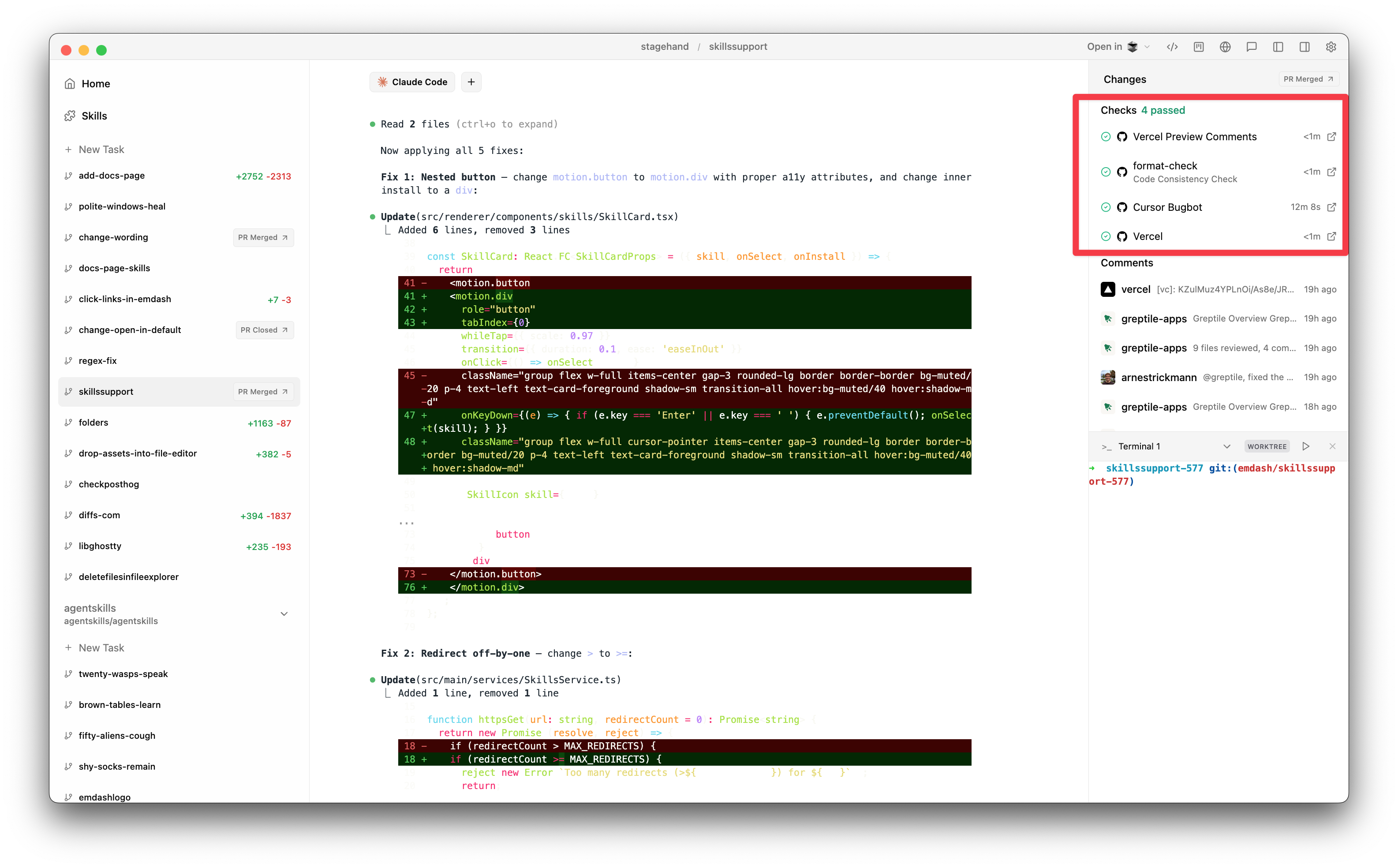
Viewing Checks
Once a task has a Pull Request, a Checks tab appears in the file changes panel. Click it to see all check runs for that PR's branch.
Each check shows:
- Status: Green checkmark (pass), red X (fail), amber spinner (pending), or grey dash (skipped/cancelled)
- Name and workflow: Which check ran and from which workflow
- Duration: How long the check took
- External link: Click to open the full check run on GitHub
A summary at the top shows the total count of passed, failed, and pending checks.
Auto-Refresh
Emdash automatically polls for check updates:
- Every 10 seconds while checks are still running
- Every 60 seconds once all checks complete
- On window focus — checks refresh when you switch back to Emdash
Polling pauses when the app is in the background to save resources.
Requirements
- The GitHub CLI (
gh) must be installed and authenticated - The task's branch must have an open Pull Request on GitHub
- Your repository must have GitHub Actions workflows configured
If the Checks tab is disabled, it means no PR exists for the current task yet. Push a branch and open a PR to start seeing checks.
Tips
- The Checks tab automatically activates when a PR exists but there are no local uncommitted changes.
- Failed checks show a red dot on the tab badge so you can spot failures at a glance.
- A spinning indicator on the tab badge means checks are still in progress.
- Click the external link icon on any check to jump straight to the run details on GitHub.
Last updated on March 1, 2026