

Passing Issues
Pass issues from Linear, Jira, or GitHub directly to agents
Emdash connects to Linear, Jira, and GitHub Issues. Pass issues from your tracker directly to agents. The issue title, description, and metadata become part of the agent's prompt.
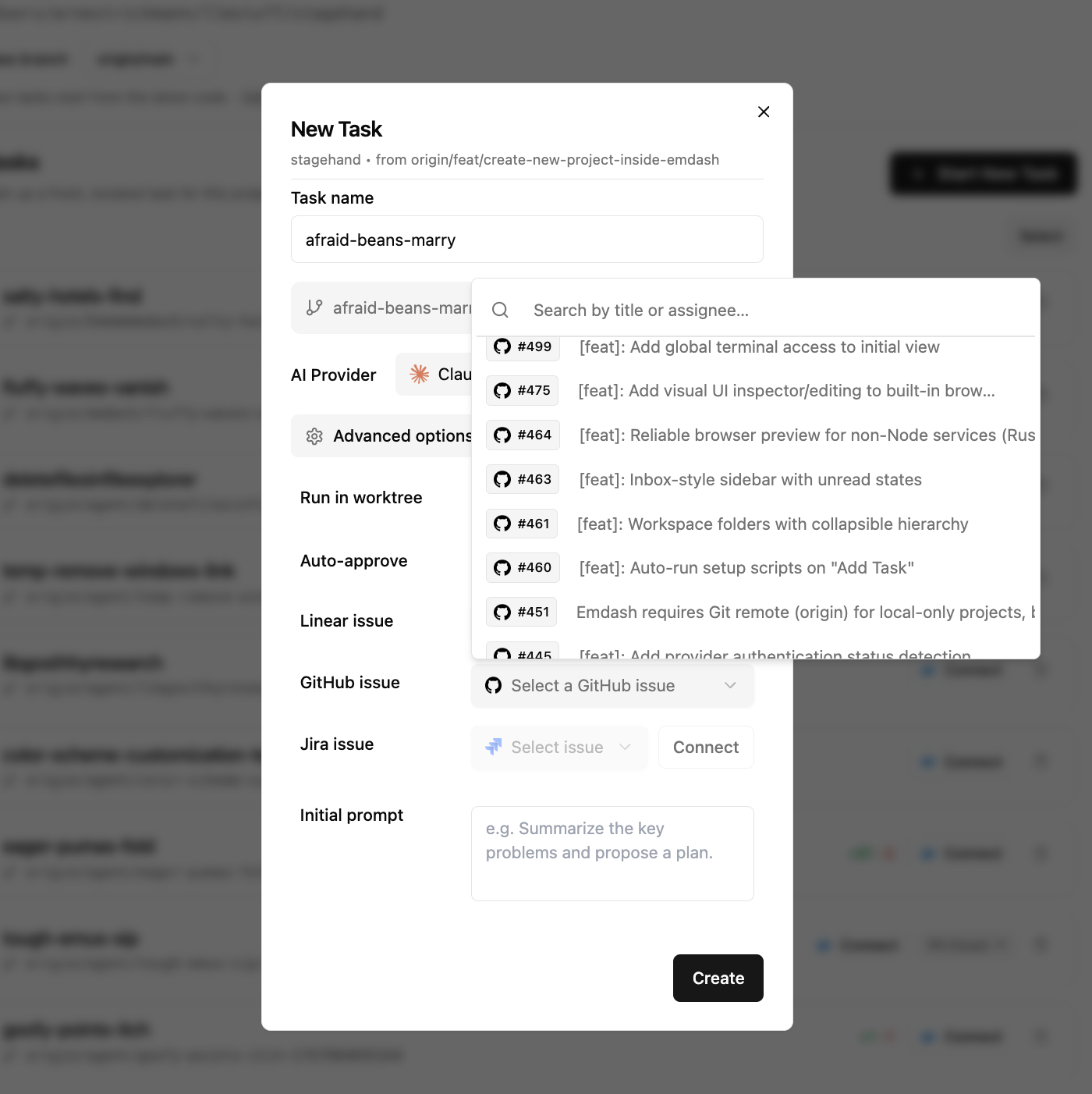
How It Works
- Create a new task
- Click Advanced Options
- Select an issue from the dropdown (searchable by ID, title, or assignee)
- Start the task
The agent receives the full issue context and begins working immediately.
Supported Trackers
Emdash supports:
- Linear
- Jira
- GitHub Issues
Missing your tracker? Open an issue or message us on Discord.
Connecting Your Tracker
Go to Settings → Connections to connect.
Linear
- Go to Linear Settings → Security & access → Personal API keys
- Create a new API key
- Paste the key in Emdash and click Connect
Jira
- Go to Atlassian Account Settings → Security → API Tokens
- Create a new API token
- In Emdash, enter your site URL (e.g.,
https://yourcompany.atlassian.net), email, and token
GitHub Issues
GitHub Issues requires the GitHub CLI (gh). Emdash auto-installs it if missing.
- Click Sign in with GitHub
- Copy the device code shown
- Authorize on GitHub when prompted
Auto-Closing Issues
When you create a PR from a task that has a linked issue, Emdash automatically closes the associated GitHub or Linear issue. This only applies to issues that were passed to the task at creation time.
Last updated on March 1, 2026