Telemetry
What data Emdash collects, what it doesn't, and how to opt out
Emdash respects your privacy. This page explains our telemetry practices in detail.
Overview
- Emdash collects anonymous usage telemetry to improve the app
- Telemetry is enabled by default but can be easily disabled
- Data is sent to PostHog using explicit, allowlisted events only
- No autocapture or session recording is enabled in the app
How to Opt Out
In-App Settings
- Open Emdash Settings
- Navigate to General → Privacy & Telemetry
- Toggle telemetry off
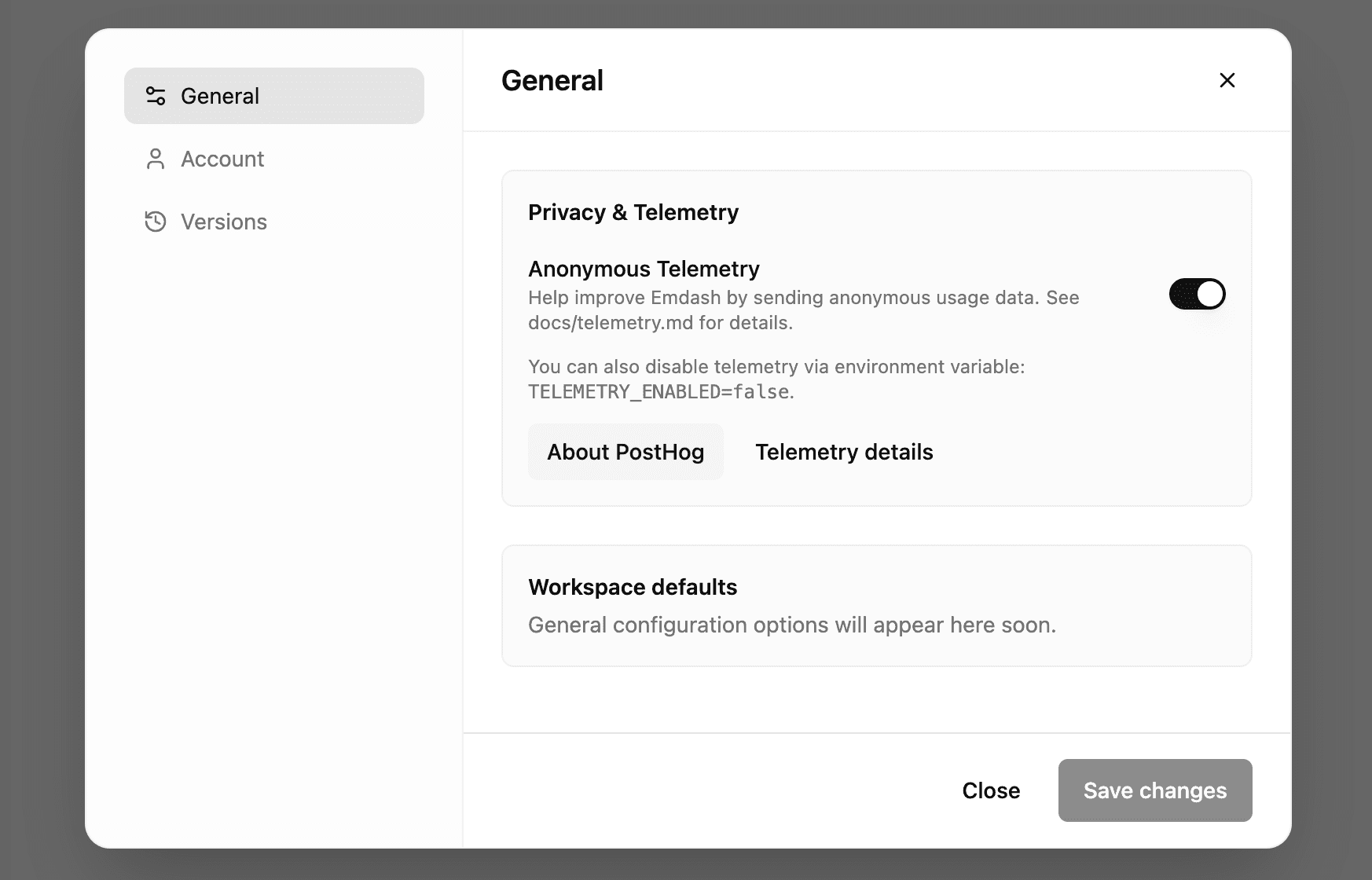
Environment Variable
Set the environment variable before launching the app:
TELEMETRY_ENABLED=falseThis completely disables telemetry at the application level.
What We Collect
We only collect anonymous, aggregated usage data to understand how Emdash is used and improve the product.
Events Tracked
App Lifecycle Events
app_started (automatically on app launch)
app_version- Emdash version numberelectron_version- Electron runtime versionplatform- Operating system (macOS, Windows, Linux)arch- CPU architecture (x64, arm64)is_dev- Whether running in development modeinstall_source- Distribution channel (dmg, dev, etc.)
app_closed (automatically on app quit)
- Same properties as
app_started
app_session (on quit; duration only)
session_duration_ms- How long the app was open
Usage Events
workspace_snapshot (early in app lifecycle)
project_count- Total number of projectsproject_count_bucket- Coarse bucket (e.g., "1-5", "6-10")workspace_count- Total number of workspacesworkspace_count_bucket- Coarse bucket
feature_used
feature- Name of the feature (string)
error
type- Error category (string, no stack traces or details)
Agent Events
agent_run_start
provider- CLI provider ID (e.g., "claude-code", "codex")
agent_run_finish
provider- CLI provider IDoutcome- Result:okorerror(no details)duration_ms- How long the agent ran (clamped, no content)
What We DON'T Collect
We take privacy seriously. The following data is never collected:
- ❌ No code or file contents
- ❌ No file paths or repository names
- ❌ No prompts or messages sent to agents
- ❌ No environment variables
- ❌ No personally identifiable information (PII)
- ❌ No user text input or command contents
- ❌ No IP-derived location data
- ❌ No session recordings or screen captures
- ❌ No autocapture of user interactions
Agent Usage Privacy
When tracking agent usage, we only collect:
- Provider name (e.g., "claude-code")
- Start/finish timestamps
- Success or failure outcome
- Duration
We do not collect:
- Prompts or messages
- Code changes
- File paths
- Workspace names or IDs
- Any content from terminal streams
How It Works
Anonymous Identification
- A random anonymous
instanceIdis generated on first launch - Stored locally in
${appData}/telemetry.json - Used as
distinct_idfor telemetry events - Not linked to any personal information
Data Sanitization
All telemetry data passes through a sanitizer that:
- Only allows explicitly allowlisted properties
- Drops any unexpected or sensitive data
- Enforces data types and formats
- Prevents accidental leakage
Local Development
- Official builds include PostHog credentials via CI
- Local development builds do not send telemetry unless credentials are explicitly added for testing
- Development mode is clearly marked in events
For Developers
Environment Variables
For Users:
TELEMETRY_ENABLED(default:true) - Set tofalseto disable
For Maintainers:
INSTALL_SOURCE- Labels distribution channel (e.g.,dmg,dev)- PostHog credentials are injected via CI for official builds
Renderer Process Events
The renderer may request sending feature_used or error events via IPC:
- Constrained IPC channel handled in main process
- Only allowlisted properties are forwarded
- Everything else is dropped by the sanitizer
Adding New Events
If you're contributing and want to add telemetry events:
- Only track coarse, anonymous metrics
- Add event to allowlist in telemetry service
- Document in this file
- Ensure no PII or sensitive data is included
Transparency
We believe in transparency about data collection:
- This documentation is version-controlled and public
- Telemetry code is open source in our GitHub repository
- Event definitions are hardcoded (no dynamic tracking)
- You can audit exactly what is collected
Questions?
If you have questions or concerns about privacy:
- Read the code: Check
src/main/services/telemetryService.ts - Open an issue: GitHub Issues
- Start a discussion: GitHub Discussions
We're happy to answer any privacy-related questions!